Introducing ERA PDFs
Products
You can now download a PDF version of your 835 Electronic Remittance Advice (ERAs) from the Stedi portal.
Each PDF use a layout similar to the CMS Standard Paper Remit (SPR), Medicare’s official paper form for remittance. If you’ve worked with SPRs before, our ERA PDFs will look familiar.
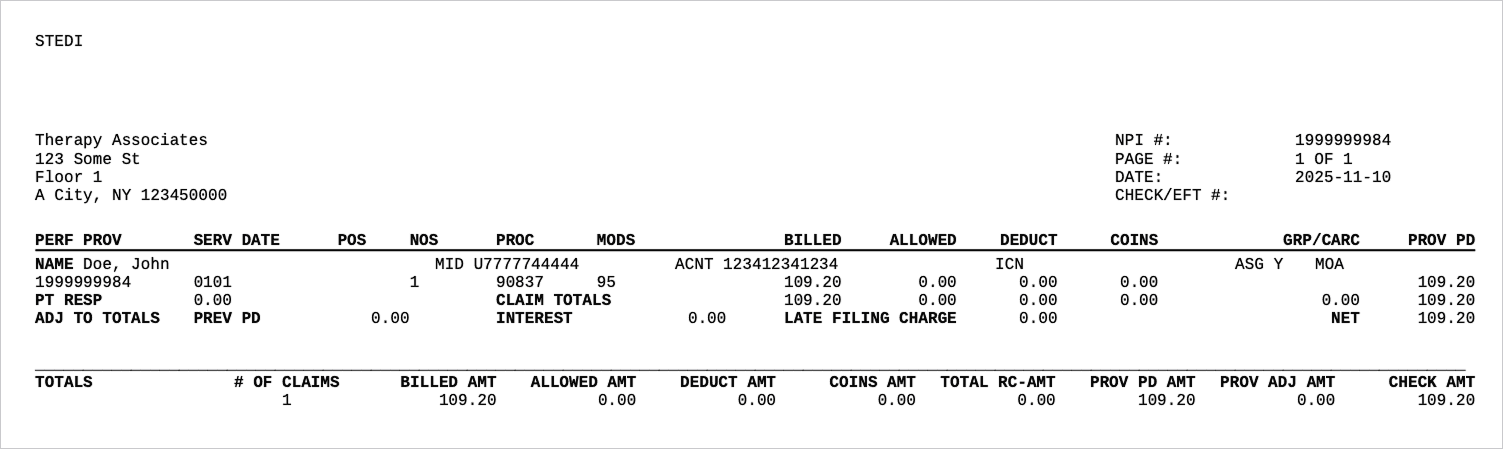
The PDFs make it easier to post remittances by hand or keep a physical copy of your ERAs. Each PDF gives you a clean, printable view of the ERA’s data, showing exactly how claims were paid, adjusted, or denied by the payer.
How to download an ERA PDF
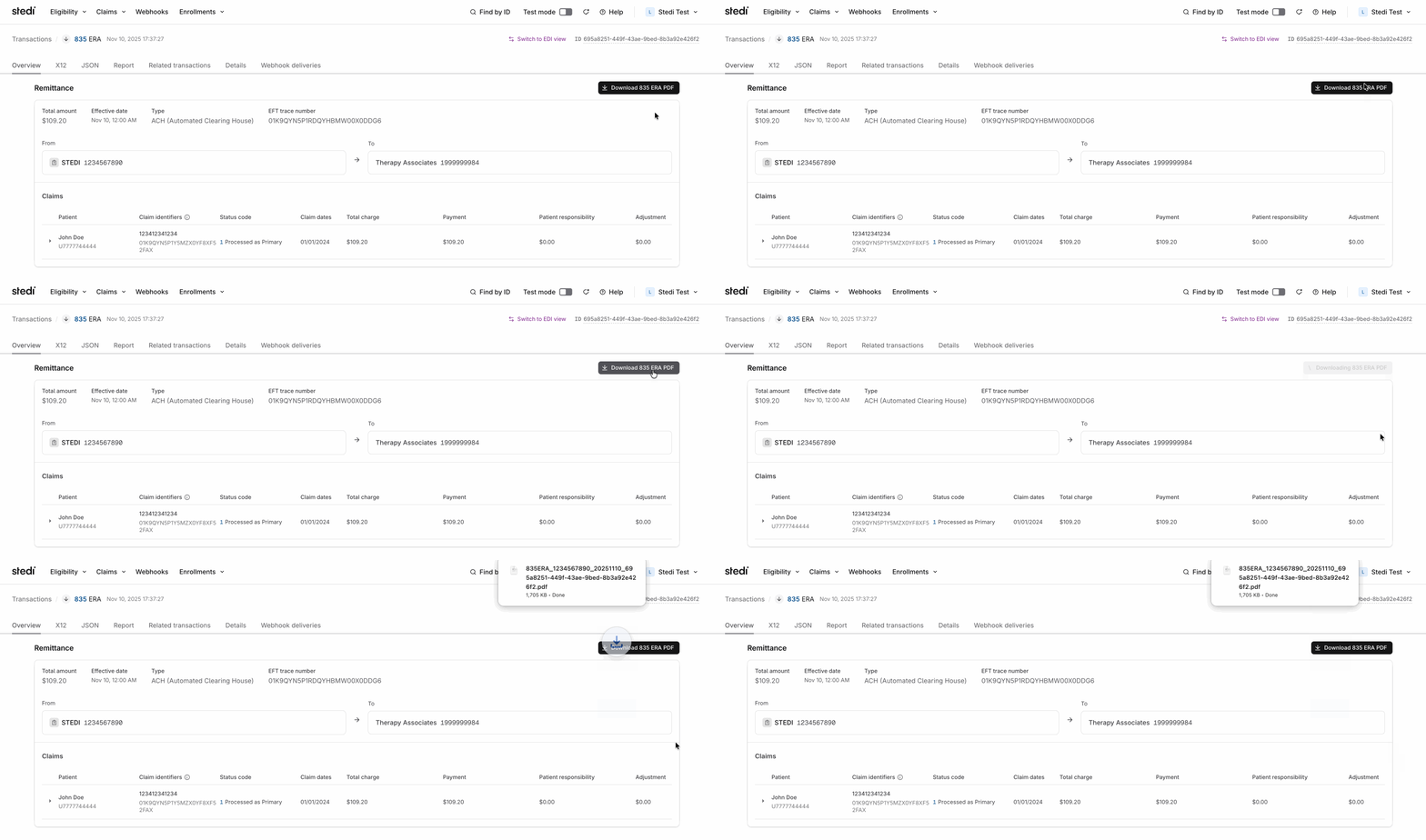
You can generate a PDF for each ERA you receive through Stedi. To download the PDF from the Stedi portal:
Sign in to your Stedi account and go to https://portal.stedi.com/app/healthcare/transactions.
You can also click Claims > Transactions in the portal nav.Click the 835 ERA transaction you want to download.
On the Overview tab, click Download 835 ERA PDF.
Note: To receive ERAs for a provider through Stedi, you must submit a transaction enrollment request with the payer. Once you enroll, all ERAs from that payer will come through Stedi exclusively. For more information, see our transaction enrollment docs.
Pricing
ERA PDFs are available on production accounts. For rates, see our pricing page.
Share
Start free with a sandbox account. Upgrade to production when you're ready. There are no monthly minimums or setup fees. You only pay for the transactions you use. See our pricing.
