Resubmit professional claims using Stedi's CMS-1500 form
Products
You can now revise and resubmit 837P professional claims using the Stedi portal’s CMS-1500 form.
The CMS-1500 form is our online submission form for 837P professional claims. It mirrors the CMS-1500 Health Insurance Claim Form, also called the HCFA, the standard paper form for professional claims. Each field is numbered to line up with the CMS-1500 boxes. It’s designed to feel familiar to provider staff or anyone who already works with the CMS-1500.
Previously, if you submitted a claim using Stedi’s CMS-1500 form and later needed to fix it, you had two options:
Re-enter all the data into the form by hand.
Use the portal’s Edit and resubmit feature to change the raw X12.
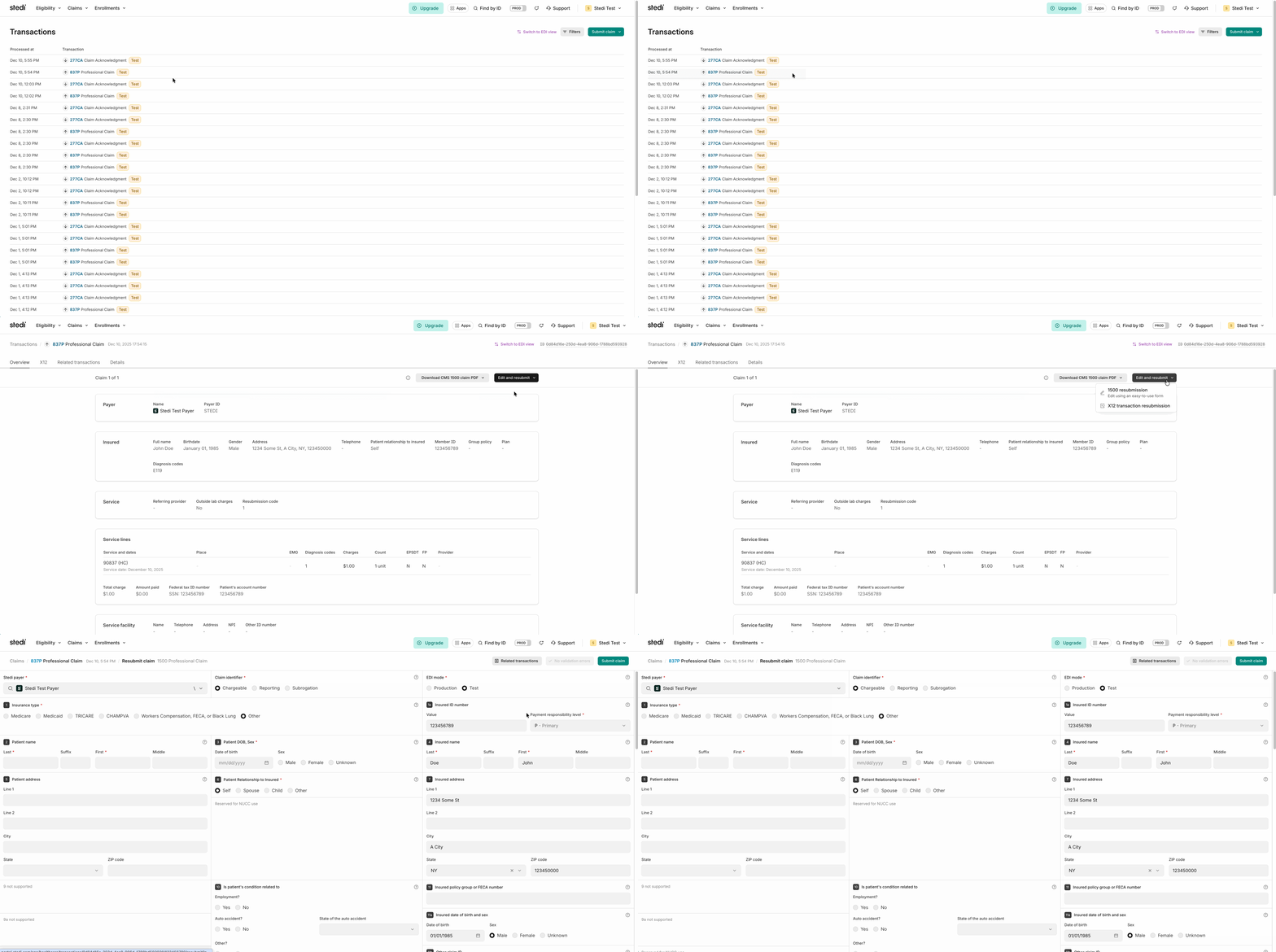
Now, you can revise the previous claim directly in Stedi’s CMS-1500 form. Stedi loads the data from the original claim into the form for you.
Revise and resubmit a professional claim using the form
In the Stedi portal, go to the Transactions page and open the claim you want to revise.
Click Edit and resubmit.
Select the new 1500 resubmission option.
Make your changes, then resubmit. Use Box 22 – Resubmission code to show whether you’re replacing or cancelling the previous claim and provide the Payer Claim Control Number (PCCN) for the original claim.
For more guidance on when and how to resubmit, see Revise and resubmit claims in our docs.
Get started
To get started, sign up for a free account. It takes less than two minutes. No credit card is required.
Share
Start free with a sandbox account. Upgrade to production when you're ready. There are no monthly minimums or setup fees. You only pay for the transactions you use. See our pricing.
