Introducing attachment uploads in the professional claims form
Claims
You can now upload claim attachments using the professional claims submission form in the Stedi portal.
For claim-level attachments, use Box 19 – Supplemental claim information.

For line-level attachments, use Box 24 – Service lines supplemental information.
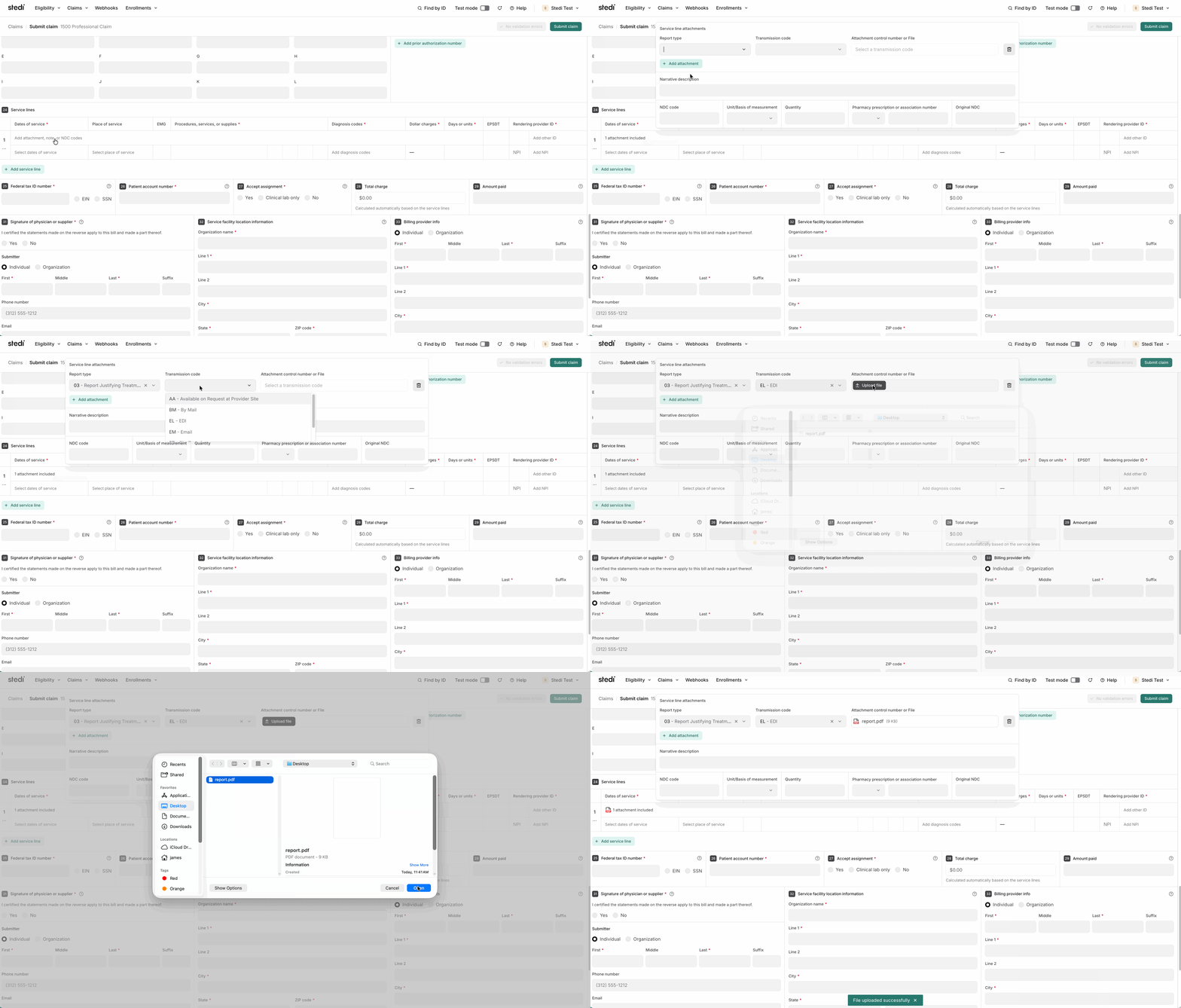
You can upload JPG, PDF, PNG, or TIFF files as attachments. To upload an attachment, you must set the Transmission code to EL (EDI).
You must also choose the appropriate Report type for the attachment. For example, if you’re uploading a medical record, you’d select a Report type of M1 – Medical Record Attachment. See Attachment Report Type Codes for a full list.
Note: You can’t add attachments to claims that were already submitted through the portal. To include attachments for those claims, resubmit them with the attachments.
Previously, you could only upload attachments using Stedi’s Create Claim Attachment JSON API endpoint.
For more details, see our announcement blog.
